3d · · 16 min read
An Introduction to 3D Printing Technology: A Practical Guide to Terminology, Processes, and Development Pathways
A practical introduction to 3D printing technology, covering core terminology, common additive manufacturing processes, materials, software workflows, and learning paths for product managers, engineers, designers, makers, and beginners.
 Mttao @bearboy80 3,455 words 中文 →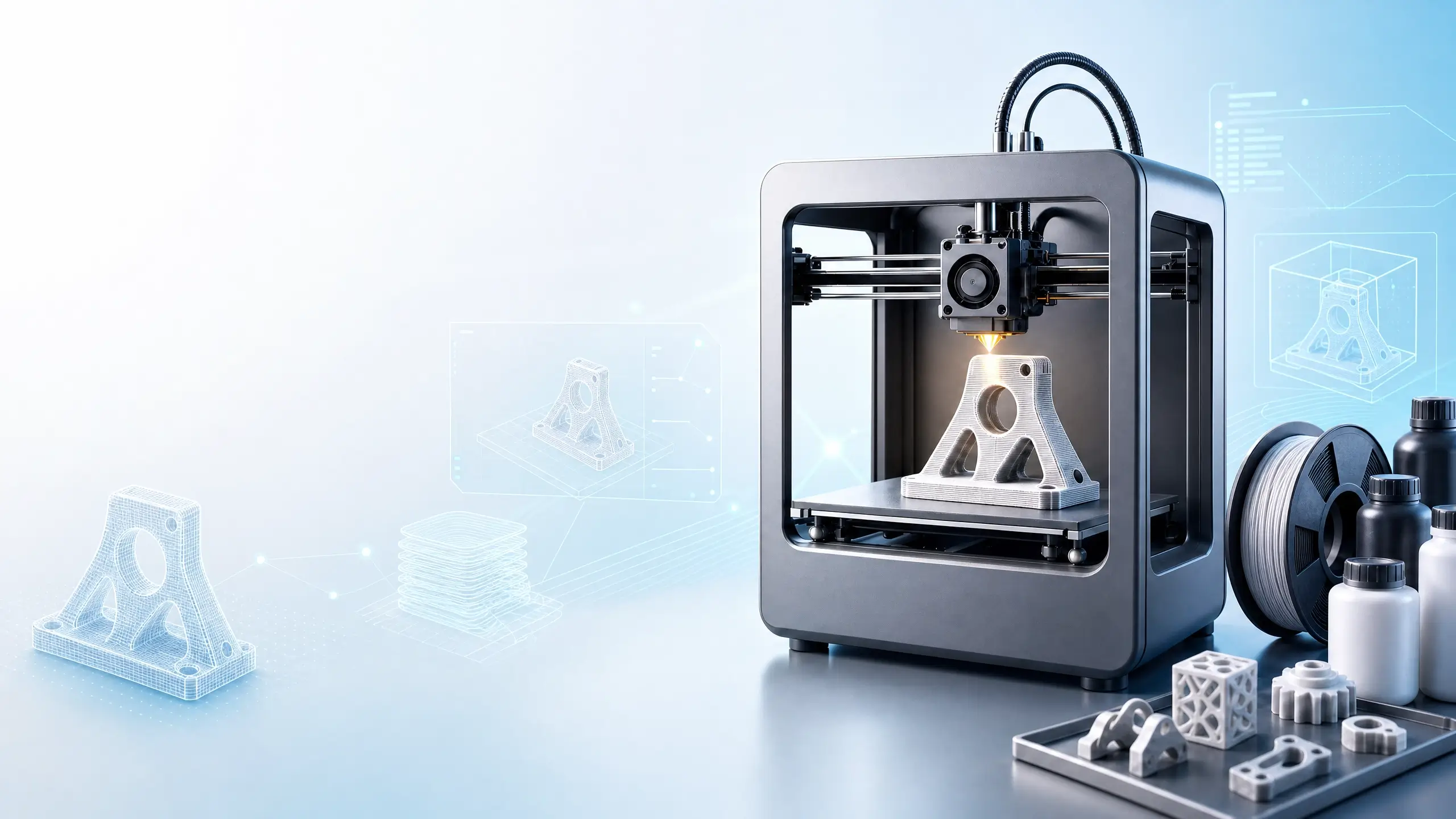
Introduction: What Is 3D Printing?
3D printing is commonly referred to as additive manufacturing. Its core idea is straightforward: a three-dimensional digital model is first created in software, and then a machine builds the physical object by adding, curing, sintering, or melting material layer by layer. Unlike subtractive manufacturing processes such as turning, milling, and drilling, which remove material from a solid block, 3D printing is closer to “growing” a part directly from digital data. According to the ISO/ASTM 52900 terminology cited by Wohlers Associates, additive manufacturing is the process of joining materials to make parts from 3D model data, usually layer upon layer, and is distinct from subtractive and formative manufacturing methods.
The value of this manufacturing approach is not limited to printing small decorative objects. Its deeper significance is that digital models can directly drive physical production. This makes complex geometries, personalized customization, low-volume production, rapid iteration, and distributed manufacturing much easier to achieve. Formlabs also notes that 3D printing can reduce material waste, enable on-demand customization, and produce shapes that are difficult or even impossible to manufacture with conventional methods.
Wohlers Associates’ standardized description of “additive manufacturing” emphasizes that it is a process of making parts from 3D model data by joining materials, usually layer by layer.
1. Understanding the Basic 3D Printing Workflow
Although different 3D printing technologies vary significantly in machine structure and material systems, the typical workflow from a user’s perspective can be summarized in five stages: modeling, file export, slicing, printing, and post-processing. Additive-X describes this workflow as CAD modeling, generating an STL or 3MF file, slicing the model into G-code, printing, and then post-processing the finished part.
| Stage | What You Do | Key Technical Considerations | Common Tools or Files |
|---|---|---|---|
| Modeling | Create or obtain a 3D model | Dimensions, wall thickness, assembly clearance, support requirements | Fusion 360, SolidWorks, Blender, FreeCAD, Tinkercad |
| Exporting the model | Convert the model into a printable file format | Mesh quality, units, normal direction, watertight geometry | STL, OBJ, 3MF, AMF |
| Slicing | Convert the model into layer-by-layer toolpaths | Layer height, infill, supports, speed, temperature, retraction | Cura, PrusaSlicer, Orca Slicer, Slic3r |
| Printing | Let the machine form the part | Calibration, bed leveling, temperature control, material feeding, motion accuracy | G-code, printer firmware, control software |
| Post-processing | Bring the part to its final usable state | Support removal, cleaning, curing, sanding, painting, heat treatment, sintering | UV curing station, washing equipment, sandpaper, coating tools, sintering furnace |
For beginners, slicing is often the most underestimated step. A slicer does not merely cut a model into many thin layers. It also generates machine-readable instructions based on nozzle diameter, material type, temperature, speed, infill density, support strategy, and many other parameters. For FDM/FFF printers, these instructions are usually represented as G-code. Marlin’s official documentation explains that G-code can instruct a printer to perform actions such as setting temperatures, moving to specific coordinates, and controlling extrusion.
2. Core Terminology: The Vocabulary You Need to Read 3D Printing Materials
The 3D printing field contains many technical terms, but beginners do not need to memorize every abbreviation at the start. A more effective approach is to understand the level each term belongs to. Some terms describe manufacturing methods, some describe model files, some describe printing parameters, and others describe machine components.
| Term | Explanation | Why It Matters |
|---|---|---|
| Additive Manufacturing, AM | A general term for making parts by adding material | It is the more formal and standardized industry term for 3D printing |
| 3D Printing | The fabrication of objects by depositing or solidifying material through a nozzle, print head, or other printing technology | In general usage, it is often used synonymously with additive manufacturing, though it is more informal |
| CAD | Computer-Aided Design, or the use of software to design digital models | Every printed part begins with a digital model |
| STL | A common file format that represents surface geometry using triangular facets | It is highly compatible but does not store rich information such as material or color |
| 3MF | A modern 3D manufacturing file format that can describe color, material, texture, and other metadata | It is better suited for complex, multi-material, or metadata-rich printing tasks |
| Slicing | The conversion of a 3D model into layer-by-layer printing paths | It directly affects print time, surface quality, strength, and success rate |
| G-code | A set of instructions that control printer movement, temperature, extrusion, and fans | It is the key bridge between slicer software and printer firmware |
| Layer Height | The vertical thickness of each printed layer | Smaller layer heights usually produce finer details but increase print time |
| Infill | The internal structure and density of a printed part | It affects strength, weight, material consumption, and print time |
| Support | Temporary auxiliary structures generated under overhangs or suspended features | It affects printability, surface quality, and post-processing effort |
| Heated Bed | A heated build platform | It improves first-layer adhesion and helps reduce warping |
| Extruder | The mechanism that pushes and controls filament feeding | It is one of the core components that determines FDM/FFF print stability |
| Nozzle | The outlet through which molten material is extruded | Its diameter affects precision, speed, and material flow rate |
| Bed Adhesion | How firmly the first layer sticks to the build plate | Many print failures begin with poor first-layer adhesion |
| Warping | Upward curling of part edges caused by shrinkage | It is common with materials that shrink significantly, such as ABS |
| Post-processing | Cleaning, curing, sanding, dyeing, coating, or finishing after printing | It determines the final appearance, precision, and performance of the part |
These terms are connected by a clear chain of cause and effect. A model is first created in CAD and exported as an STL or 3MF file. The slicer reads the model and generates G-code based on parameters such as layer height, infill, and support settings. The printer firmware interprets the G-code and controls motors, heaters, sensors, and fans. Finally, post-processing brings the part to a usable state. Understanding this chain is much more useful than memorizing terms in isolation.
3. The Seven Categories of Additive Manufacturing: 3D Printing Is More Than FDM
Many people first encounter 3D printing through desktop FDM printers, so it is easy to assume that 3D printing simply means heating plastic filament and extruding it through a nozzle. In reality, under ASTM F42 and ISO/ASTM terminology, commercially available additive manufacturing processes are commonly divided into seven categories. Loughborough University’s Additive Manufacturing Research Group also introduces these seven categories: vat photopolymerisation, material jetting, binder jetting, material extrusion, powder bed fusion, sheet lamination, and directed energy deposition.[5]
| Process Category | Typical Technologies | Common Materials | Suitable Applications | Beginner-Friendly Explanation |
|---|---|---|---|---|
| Vat Photopolymerisation | SLA, DLP, MSLA | Photopolymer resin | High-precision models, dental parts, jewelry, molds, visual prototypes | Light cures liquid resin layer by layer |
| Material Jetting | PolyJet, MJP | Photopolymers, wax | Multi-material, full-color, highly realistic prototypes | Material is jetted like ink and then cured |
| Binder Jetting | Sand printing, metal binder jetting | Sand, metal powder, ceramic powder | Casting molds, color models, metal green parts | A liquid binder glues powder particles together layer by layer |
| Material Extrusion | FDM, FFF | PLA, ABS, PETG, TPU, nylon | Education, prototypes, jigs, fixtures, low-cost manufacturing | Plastic filament is heated and extruded through a nozzle |
| Powder Bed Fusion | SLS, SLM, DMLS, EBM, MJF | Nylon powder, metal powder | Functional parts, low-volume production, aerospace, healthcare | A laser, electron beam, or thermal source selectively fuses powder |
| Sheet Lamination | LOM, UAM | Paper, plastic sheets, metal foils | Large models, composites, laminated metal structures | Thin sheets are bonded, welded, or cut into shape layer by layer |
| Directed Energy Deposition, DED | LENS, DMD, WAAM | Metal powder, metal wire | Metal repair, large parts, surface reinforcement | Material is fed while a focused energy source melts it into place |
For an introductory learning path, it is most useful to first understand three common technologies: FDM/FFF, SLA/DLP/MSLA, and SLS/MJF. FDM is inexpensive, accessible, and well suited for learning modeling, slicing, and machine calibration. SLA/DLP/MSLA offers high resolution and smooth surfaces, making it suitable for visual prototypes, dental applications, and small precision parts. SLS/MJF can produce complex engineering plastic parts without conventional support structures and is often used for stronger functional components.
4. Common Materials: Materials Determine Whether a Part Is Truly Usable
3D printing is not only about the machine. Materials are equally important. Different materials vary significantly in strength, toughness, heat resistance, shrinkage, surface quality, post-processing requirements, and cost. In engineering applications, material selection often determines whether a solution is feasible even before the printer is selected.
| Material | Common Processes | Main Characteristics | Typical Uses | Important Notes |
|---|---|---|---|---|
| PLA | FDM/FFF | Easy to print, low odor, low warping, good stiffness | Education, models, concept validation | Limited heat resistance; not ideal for hot environments |
| ABS | FDM/FFF | Good toughness, post-processable, better heat resistance than PLA | Enclosures, functional prototypes, consumer product validation | Prone to warping; often requires a heated bed and enclosed chamber |
| PETG | FDM/FFF | Balanced toughness, chemical resistance, and printability | Jigs, containers, functional parts | Stringing can be noticeable; retraction and temperature need tuning |
| TPU | FDM/FFF, SLS | Flexible, wear-resistant, elastic | Soft parts, protective covers, seals, insoles | Usually prints more slowly and requires a reliable extrusion system |
| Nylon, PA | SLS/MJF, FDM | Strong, tough, and wear-resistant | Functional parts, clips, gears, medical aids | Highly hygroscopic and should be dried before printing |
| Photopolymer Resin | SLA/DLP/MSLA | High precision, smooth surfaces, broad material options | Models, dental parts, jewelry, molds, precision prototypes | Usually requires washing and UV post-curing |
| Metal Powder | PBF, DED, Binder Jetting | High strength and ability to form complex metal structures | Aerospace, medical implants, tooling, heat exchangers | Expensive equipment; strict powder handling, safety, and post-processing requirements |
| Ceramics | SLA, Binder Jetting | Heat-resistant, corrosion-resistant, electrically insulating | Art, dental parts, electronics, high-temperature components | Often requires debinding and sintering; shrinkage control is complex |
A common beginner question is whether to use PLA, PETG, or ABS. If the goal is learning or making visual models, PLA is usually the easiest material to start with. If the part needs better impact resistance and more functional performance, PETG is often a practical next step. If higher heat resistance is required and an enclosed printing environment is available, ABS can be considered. In industrial applications, material selection should be evaluated against load, temperature, operating environment, accuracy, regulatory requirements, and post-processing capability.
5. How Printing Parameters Affect Quality
Successful 3D printing is not simply a matter of having a valid model. The same model and material can produce very different results under different parameter settings. Printing parameters are essentially a way to balance quality, speed, strength, cost, and risk.
| Parameter | What It Affects | Typical Effect of Increasing or Decreasing It | Beginner Recommendation |
|---|---|---|---|
| Layer Height | Surface detail, print time | Smaller layers improve detail but take longer; larger layers print faster but show more layer lines | 0.2 mm is a common balanced starting point for FDM |
| Nozzle Temperature | Melt flow, layer bonding, stringing | Higher temperatures improve flow but may cause stringing; lower temperatures may cause under-extrusion | Start within the material manufacturer’s recommended range and fine-tune |
| Bed Temperature | First-layer adhesion, warping | Proper temperature reduces warping; excessive heat may cause elephant’s foot or overly strong adhesion | PLA usually needs lower bed temperatures; ABS/PETG often need higher settings |
| Print Speed | Time, surface quality, vibration | Faster printing saves time but may cause ringing or under-extrusion; slower printing is more stable | Prioritize stability before increasing speed |
| Infill Density | Strength, weight, material usage | Higher infill increases strength but also weight, time, and material; lower infill saves resources | 15%–30% is common for ordinary prototypes |
| Wall Thickness | Shell strength, durability | Increasing wall thickness is often more effective than simply increasing infill | Functional parts should prioritize wall thickness and layer orientation |
| Support Angle | Printability, surface quality | More support improves reliability but increases cleanup; less support looks cleaner but may fail | Check overhangs carefully when they exceed roughly 45° |
| Retraction | Stringing, clogging risk | Too little retraction causes stringing; too much may grind filament or clog the nozzle | Tune based on material and extruder type |
From an engineering perspective, printing parameters are not “magic settings.” They reflect the interaction of material behavior, heat transfer, mechanics, and motion control. Warping, for example, results from the conflict between material shrinkage during cooling and adhesion to the build plate. Stringing occurs when molten material continues to ooze from the nozzle during non-print moves. Weak layer bonding is often related to temperature, speed, cooling fan settings, and material properties. Once these causes are understood, parameter tuning becomes directed troubleshooting rather than guesswork.
6. Viewing 3D Printing as a Technical Development System
If you want not only to use a 3D printer but also to participate in machine, software, material, or application development, it is helpful to view a 3D printing system as a complex integration of mechanics, electronics, firmware, slicing software, materials, process development, and quality control.
| Development Layer | Main Objects | Core Questions | Common Technical Directions |
|---|---|---|---|
| Mechanical structure | Frame, rails, belts, lead screws, build plate, print head | How can rigidity, accuracy, stability, and maintainability be ensured? | CoreXY layouts, gantry systems, automatic bed leveling, lightweight moving components |
| Electronics and control hardware | Mainboard, stepper drivers, heaters, sensors, power supply | How can hardware be controlled safely, stably, and precisely? | 32-bit controllers, silent drivers, thermal runaway protection, closed-loop steppers |
| Firmware | Marlin, Klipper, RepRapFirmware | How can G-code be converted into reliable motion and temperature-control behavior? | Motion planning, acceleration control, input shaping, PID temperature control |
| Slicing software | Cura, PrusaSlicer, Orca Slicer | How can a model be converted into high-quality toolpaths? | Support generation, path planning, infill algorithms, variable layer height, material profiles |
| Materials engineering | Filaments, resins, powders, composites | How can printability, strength, and stability be achieved? | Carbon-fiber reinforcement, high-temperature materials, biocompatible materials, metal powders |
| Process development | Parameter windows, post-processing, environmental control | How can consistency and yield be improved? | Parameter calibration, thermal management, curing profiles, sintering compensation |
| Quality control | Dimensions, defects, porosity, surface roughness | How can parts be proven to meet design requirements? | 3D scanning, CT inspection, in-process monitoring, closed-loop control |
Marlin’s official documentation clearly illustrates the role of firmware in this system. Firmware runs on the printer’s mainboard, coordinates heaters, stepper motors, sensors, displays, buttons, and other components in real time, and interprets G-code generated by slicer software. This means 3D printing development is not simply about writing an application. It requires understanding how software and hardware work together. The slicer determines how the path is planned, the firmware determines how the machine executes that path, and the mechanics and materials determine whether the executed path becomes a stable, usable part.
7. A Learning Path: How to Start from Zero
If your goal is to get started quickly and complete reliable prints independently, you can follow a user-oriented learning path. If your goal is technical development, you should go deeper into mechanics, electronics, software, and materials after mastering the basics.
| Stage | Learning Goal | Recommended Practice | Capability You Gain |
|---|---|---|---|
| Stage 1: Understand the machine | Learn printer structure, materials, and safety basics | Print simple models with PLA; practice bed leveling and first-layer observation | Complete basic prints and identify common failures |
| Stage 2: Learn modeling | Master simple part design | Design a functional part with holes, chamfers, and snap-fit features | Design printable parts for real problems |
| Stage 3: Master slicing | Understand layer height, infill, supports, temperature, and speed | Print the same model with different settings and compare results | Explain how parameters affect quality and time |
| Stage 4: Explore materials | Compare PLA, PETG, ABS, TPU, or resin | Print strength samples, assembly parts, and flexible components | Select materials based on application needs |
| Stage 5: Troubleshoot failures | Build a cause-and-effect map for print defects | Analyze warping, stringing, clogging, layer shifting, and under-extrusion | Diagnose failures systematically |
| Stage 6: Move into development | Understand firmware, motion control, sensors, and automation | Configure Marlin or Klipper; study G-code and input shaping | Participate in machine tuning or secondary development |
| Stage 7: Apply engineering thinking | Build a closed loop of design, manufacturing, and validation | Make jigs, fixtures, low-volume functional parts, or customized products | Use 3D printing in real projects |
For beginners, the most practical path is to start with an FDM printer and PLA to build basic hands-on experience, then learn slicing parameters and simple modeling. After that, you can explore PETG, TPU, resin printing, or SLS services depending on your application. Do not start by chasing complex machines or expensive materials. The real threshold of 3D printing is not pressing the print button, but understanding the constraints among design, material, parameters, machine condition, and post-processing.
8. Common Misconceptions
| Misconception | More Accurate Understanding |
|---|---|
| 3D printing can make anything | 3D printing has limits in size, material, accuracy, support strategy, cost, and post-processing. It excels at complex geometry and low-volume customization, but it does not always replace injection molding, CNC machining, or casting. |
| Smaller layer height is always better | Smaller layers improve detail but also increase print time and failure risk. Functional parts often depend more on wall thickness, layer orientation, and material choice. |
| Higher infill always means stronger parts | For many parts, increasing wall thickness, optimizing orientation, and improving structure are more effective than blindly raising infill density. |
| A good model always prints successfully | Slicing settings, material condition, bed adhesion, temperature control, and mechanical calibration all affect success rate. |
| Low-cost printers are only for toys | Low-cost FDM printers can produce many useful jigs, fixtures, prototypes, and educational parts. The key is design and parameter control. |
| Industrial 3D printers are just larger desktop printers | Industrial systems involve powder management, process monitoring, heat treatment, quality certification, and safety requirements, making them far more complex than desktop machines. |
Conclusion: 3D Printing Is Ultimately a Digital Manufacturing Capability
The most valuable part of learning 3D printing is not how many interesting objects it can produce. Its real significance is that it connects design, materials, software, hardware, and manufacturing into a digital workflow. You can start from a CAD model, generate toolpaths through slicing software, manufacture the part through firmware-controlled hardware, and then use post-processing and inspection to obtain a usable component. The more familiar you are with this workflow, the easier it becomes to understand why the same printer may be used by one person to print decorative objects, while another person uses it to produce jigs, molds, medical models, robot parts, or low-volume products.
If this introduction can be summarized in one sentence, it would be: understand the workflow before memorizing terminology; achieve stable printing before optimizing parameters; solve real problems before pursuing complex technologies. When you can connect model design, material selection, slicing parameters, machine condition, and post-processing results, you have truly entered the world of 3D printing technology.
References
- Wohlers Associates — Additive Manufacturing Glossary and Acronyms
- Formlabs — 3D Printing Guide: Types of 3D Printers, Materials, and Applications
- Additive-X — 3D Printing Workflow: The 5 Steps Explained
- Marlin Firmware — What is Marlin?
- Loughborough University — The 7 Categories of Additive Manufacturing
- Protolabs — An A to Z Guide of 3D Printing Terminology
Mttao GitHub ↗
Exploring technology and life's wisdom